
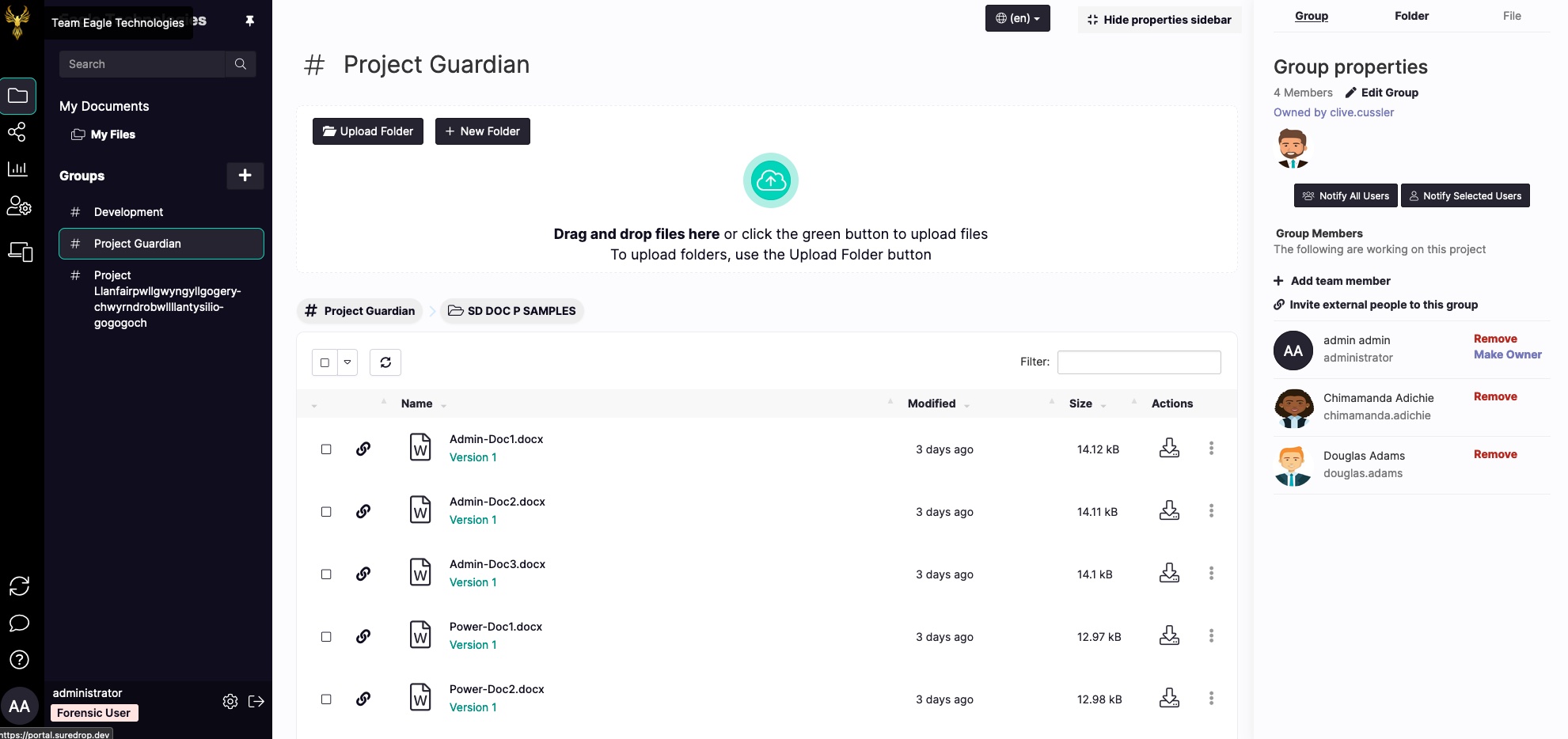
Our latest release of SureDrop is finally here. Get ready for a new look and feel as well as new features and usability enhancements.

New Look and Feel
While not technically a feature, our new look and feel is the cornerstone of our new release.
We’ve listened to you and have made SureDrop even easier to use while keeping the security and enterprise integration core to your experience.
We’ve added profile pictures, a new properties sidebar and streamlined the login process.
Group editing is more intuitive and we’ve embraced the whole hashtag # thing for group naming.
You can look forward to exciting features regarding shortcuts using the # and @ symbols when navigating around SureDrop in upcoming releases.
Team Memberships and Inviting Team Members
We’ve made it easier to invite team members to your group. If you are the group owner you can now invite both internal and external users directly to your group.
This means that project teams can now manage their own group memberships.
To invite an external member, simply select Invite external people to this group from the Group Properties sidebar.

New User Profile Location
We’ve moved the user profile setting and other user related features to the bottom left.

We’ve also moved the Refresh, Feedback and Help buttons down here as well as the Logout button.
We felt that putting them out of the way, but in an easily accessible location makes them much easier to find when you need them!
Clicking on the User Profile Settings allows you to change your profile picture, your password and set up your 2FA.

Make sure your profile picture has the same width and height and that it is at least 170px wide for the best results!
New Help System
We’ve got a brand new help system which is accessible straight from SureDrop.

We’ve spent a lot of time in this release to create a bunch of useful help pages for pretty much everything you need.
If you think a help page is missing or you think we can make any of them clearer, let us know with the feedback button just above the help button.

Let us Know What You Think
We hope you like the new features, if you have any comments or feedback you can reach out to us at team@suredrop.io